SAMPLE MODULE 1
Hypoglycaemia – recognising and treating low blood sugar
This sample is part of a new approach to diabetes education, designed as a system for use in real clinical settings combining clinical guidance, visual communication, and the VIDA Framework. The full version is designed for easy, real-time use in clinical practice. VIDA is a five pillar outcomes system that measures whether a resource actually changes how people understand, feel about, and manage their diabetes, with alignment to established clinical scales.
It demonstrates how the full library can deliver both education and measurable impact across real world care settings. If this is useful in your setting, the next step is to apply to become a pilot partner and use the full modules within your patient education.
Using the Sample Module 1 – Hypoglycaemia
The sample module can be introduced within your existing clinical or education setting in whatever way feels most natural. It is designed to sit alongside your usual workflow, whether used in a consultation, shared with patients, or explored independently. This is an opportunity to see how the approach supports understanding, communication, and engagement in a real-world context.
After using the sample
After using the sample, you may begin to see how this style of communication fits within your setting and how patients respond to it. If the approach resonates, there is the option to explore a broader set of modules and resources as part of a pilot or ongoing use.
Your perspective
Early feedback helps shape how this work develops. Insights from clinical settings ensure that future modules are grounded in both lived experience and real-world practice. After a few weeks, we will check in with a small number of questions about your experience using the sample module, including how it was used in practice and how patients responded. This is designed to be quick and low effort, and helps guide future development.
Conversation tools for hypoglycaemia
Use the visual resources to support conversations around hypoglycaemia
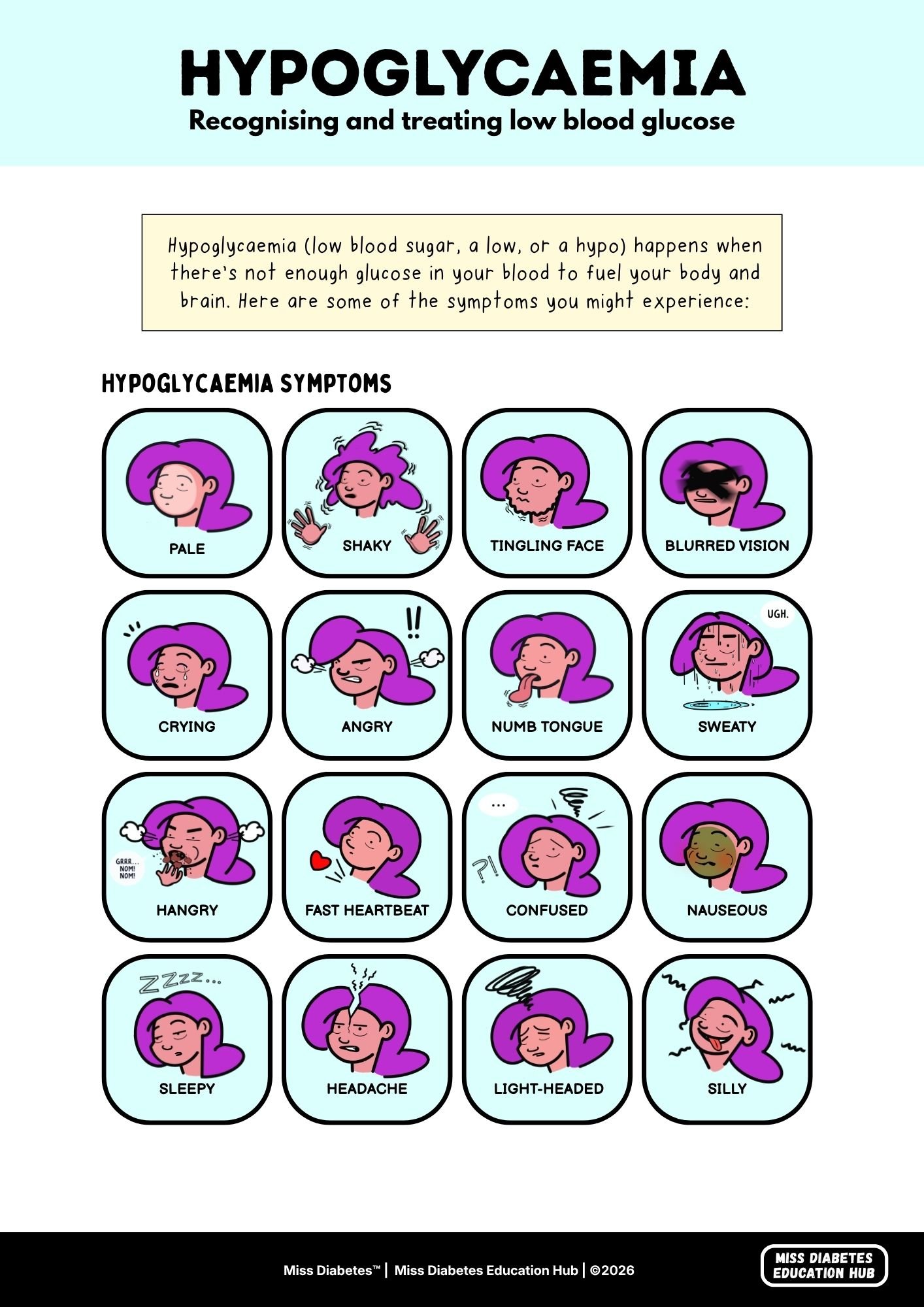
A4 Visual Guide (3 pages)
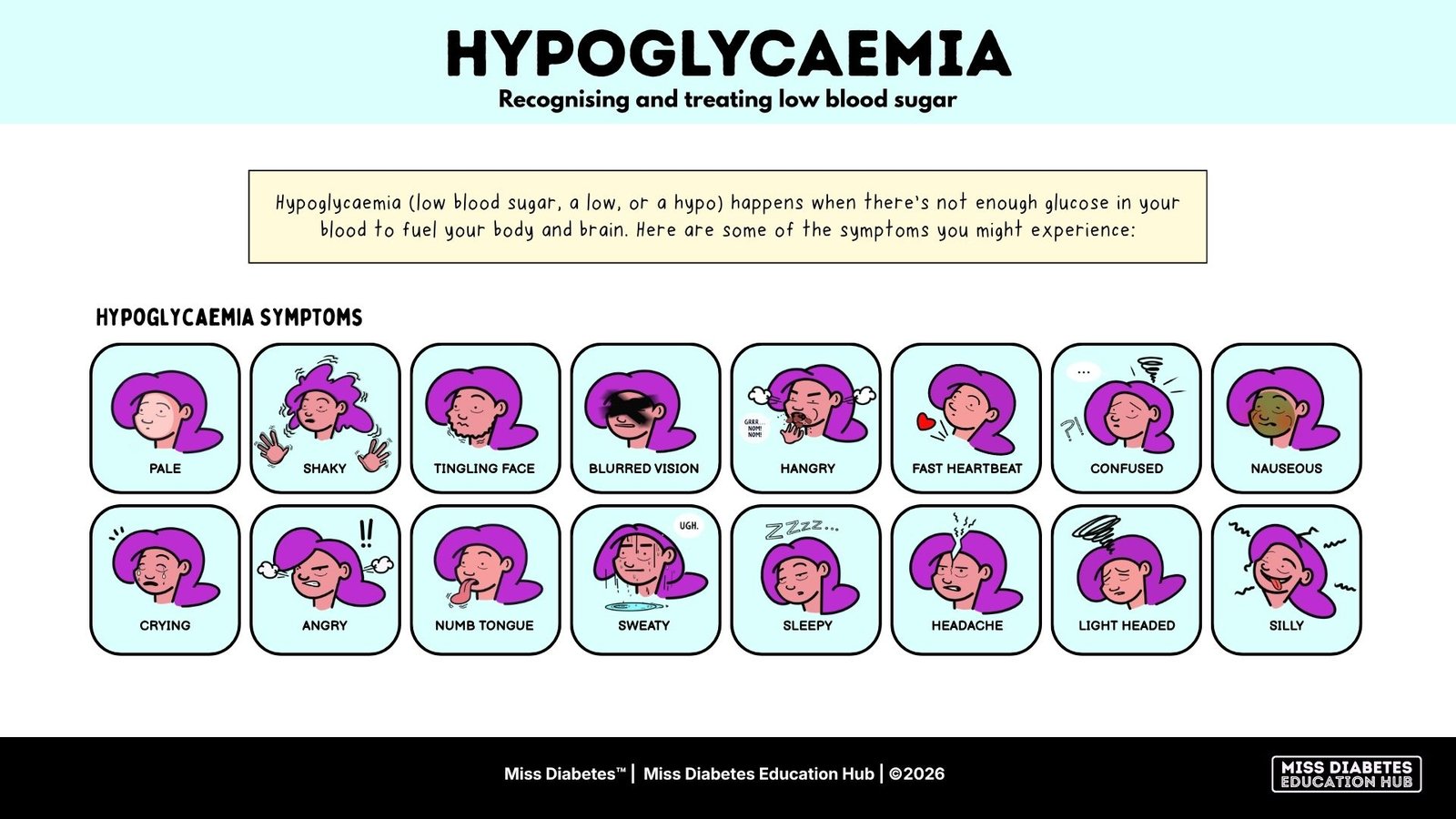
Presentation Slides (3 pages)
The A4 Visual Guide is designed to print and use with patients. The Presentation Slides are for screen use in consultations or group sessions.
Educator Guide
HOW TO USE IT
Use the visuals during:
The visual tools are designed to:
How to use the visuals
A 6-STEP FACILITATION GUIDE
Step 1
Start with the top section and explain what hypoglycaemia is in simple terms (low blood sugar).
Step 2
Move through the symptoms together. Point to each illustration and ask if any feel familiar.
Step 3
Pause and ask “Have you experienced any of these before”? Allow space for them to connect to their own experiences.
Step 4
Highlight that symptoms can feel different each time — and that some people experience emotional symptoms like anger, crying or feeling confused, not just physical ones. This often surprises people and opens up the conversation.
Step 5
Move to “What to do” section about how to treat a hypo. Keep this practical and reassuring.
Step 6
End by reinforcing – recognising early signs = more control and confidence.
Key talking points
LANGUAGE YOU CAN USE
“There’s no perfect response – it’s about learning what your body feels like”
“You don’t have to figure this out all at once”
“Sometimes it comes on quickly, that’s why recognising the signs early helps”
“Low blood sugar can feel different for everyone”
Suggested follow-up tools
What this module is aligned to
CLINICAL ALIGNMENT
NICE NG17 · section 1.6.26
Type 1 diabetes in adults
Recognition and treatment of hypoglycaemia using 15–20g fast-acting carbohydrate, with blood glucose rechecked after 10–15 minutes and treatment repeated if needed. Guidance includes prevention of severe hypoglycaemia and use of glucagon or emergency services where appropriate.
NICE NG18 · Children and young people
Diabetes (type 1 and type 2) in under 18s
Hypoglycaemia identified and managed using the same 15–20g fast-acting carbohydrate approach, adapted for age and individual needs. Emphasis on family/carer involvement, frequent monitoring, and prevention of severe episodes in paediatric care.
Diabetes UK · Hypoglycaemia guidance
Treatment of hypoglycaemia with 15–20g fast-acting carbohydrate (e.g. glucose tablets, sugary drink), followed by rechecking after 10–15 minutes. Repeat treatment if needed, and use longer-acting carbohydrate to maintain glucose levels if the next meal is not soon.
NHS Emergency · Severe hypoglycaemia
Management of severe hypoglycaemia where the person is unable to self-treat or unconscious. Use of glucagon (injection or nasal) where available, and urgent medical assistance (999). Emphasis on not managing severe episodes alone.
After using this sample module
FEEDBACK
This sample module is designed to be used in a real-world setting.
As you use it, take note of how it works within your environment, both for patients and your team.
You may wish to observe:
-how patients respond to the visuals
-whether it supports understanding and recall
-how easily it fits into your existing workflow
After two weeks, you’ll be contacted for a short email follow-up to discuss your experience.
It will cover:
-what worked well
-any challenges or limitations
-how it could be used more broadly in your setting
If the module feels like a good fit, you’ll be invited to continue as a Pilot Partner, with access to additional modules and the opportunity to provide ongoing feedback.